 CoPho
Español
Your wedding photos, seen by your guests
Your photographer covers the day. Your guests take hundreds of photos on their phones that you almost never get to see. With CoPho everyone uploads them to one place, you vote for the best ones and keep the album.
How it works at a wedding
Create the event before the wedding
Name, date and how long voting lasts: up to 7 days, or 14 with CoPho+ and Pro.
Put a QR code on the tables
The event's invite code goes on printed table cards. Guests scan it, install CoPho for free and join your wedding.
Everyone uploads
During the party or the day after. Near-identical shots are grouped automatically.
Vote and keep the album
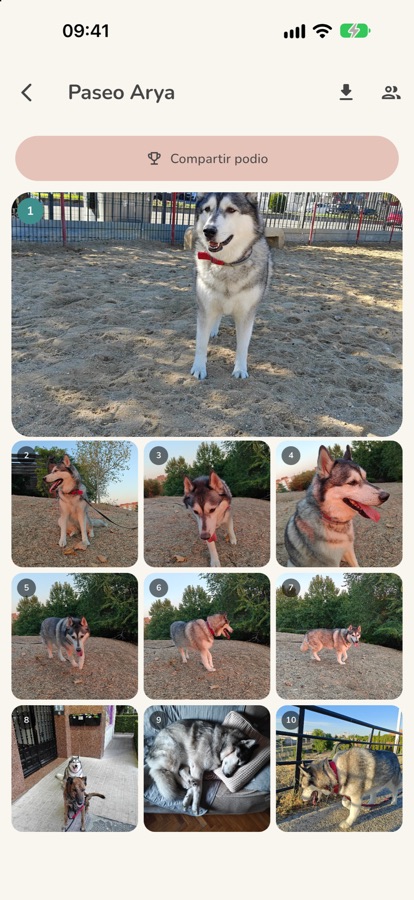
The most-voted photos become the album. It downloads to your gallery in one tap, each photo with its date.
Tips that make it work
- Create the event a week before and test the QR code with someone you trust.
- Say it out loud: one minute in a speech or at dinner multiplies the uploads.
- Keep voting open 3–5 days after the wedding: many people upload the next day.
- For weddings with more than 50 guests, expand the event or use CoPho Pro: 3,000 uploads, 300 photos in the album and original quality.
Frequently asked questions
Do guests have to install anything?
Yes, the CoPho app, free on iPhone and Android. The QR code takes them to their store; on Android, opening the app takes them straight into your event, and on iPhone they type the code printed on the card.
How many photos fit?
Free: up to 300 uploads per event and 50 photos in the final album. If that's not enough, anyone in the group can expand it with a one-time purchase, or the organizer can switch to CoPho Pro: 3,000 uploads, 300 photos in the album and original quality.
What happens to the photos that don't make the album?
While voting is open everyone can see and download them. When it closes, the ones left out can still be seen and downloaded for 24 hours; then they're deleted and the album keeps the best.
Who can see the photos?
Only people who join with your invitation. Photos are stored without their GPS location.
Does it replace the photographer?
No. These are the photos your guests take on their phones: the moments the photographer doesn't see. They complement each other.
How long is the album kept?
As long as someone in the group keeps using CoPho. If 24 months go by without anyone in the album opening the app, we warn a month before deleting it.
Can you make the QR table cards for us?
Yes: email copho.soporte@gmail.com with the wedding's name and the event's invite code and we'll send them ready to print.